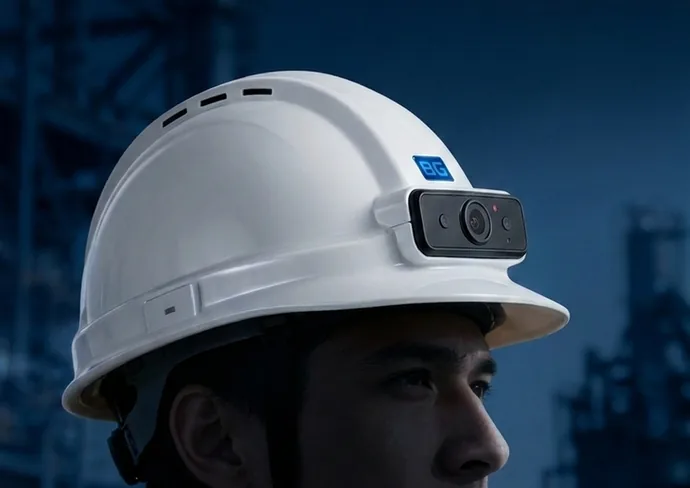
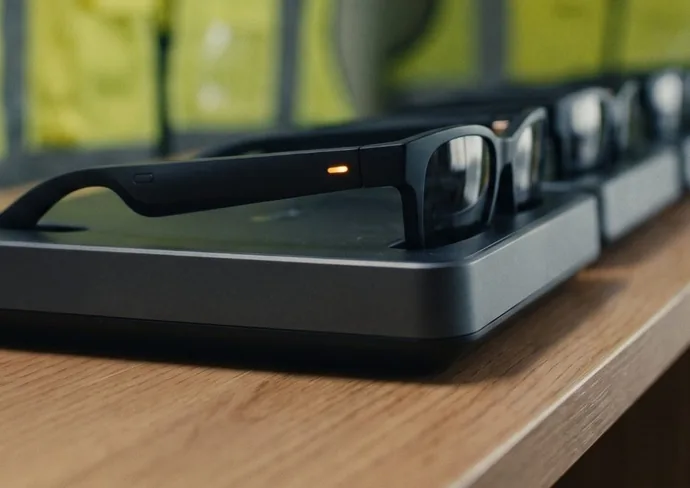
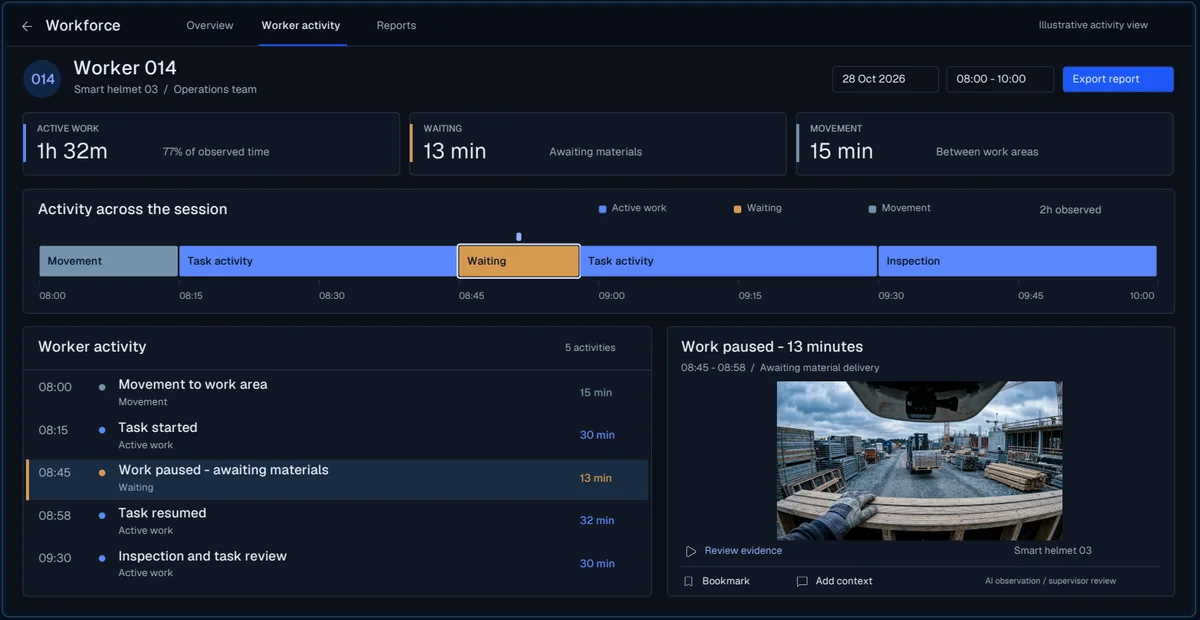
A smart helmet or smart glasses adds a hands-free view. Review the sequence of work, waiting and inspection to investigate delays or coach a team.
Smart helmetSmart glasses
View the activity timelineIllustrative product view
Go deeper into Opsyte.
Explore the workflows
VISION → CONTEXT → ACTION
Explore the analytics
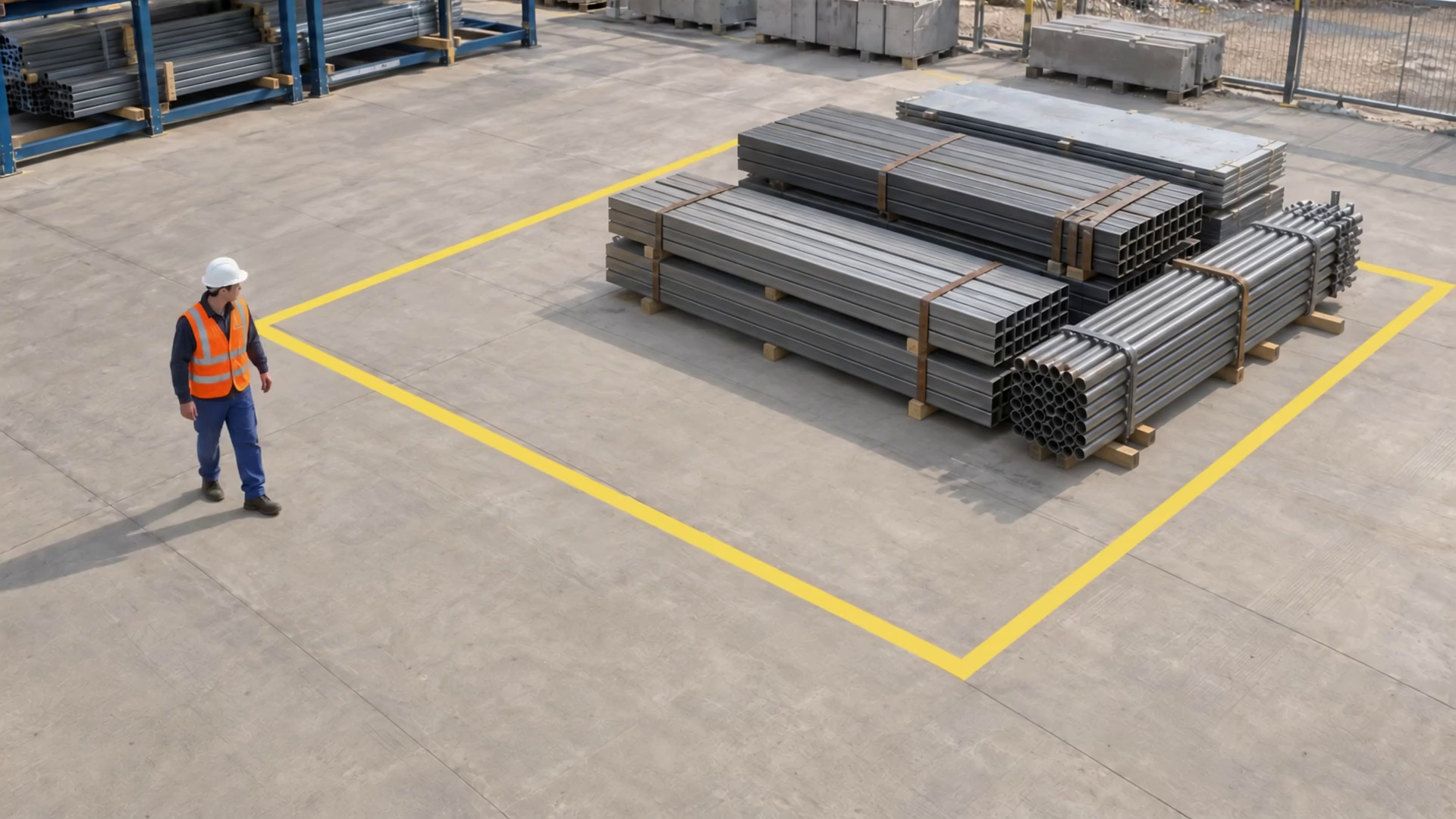
Construction · marked material areaSynthetic LTX footage · manually annotated review frames
Paused00:00.0/ 00:06.0
Marked material zone
Visible workers1people
Worker inside marked zone0people
Hard hats visible1items
Annotated demonstration1 subjects in view
Analysis layers
Marked material zone
Clip analytics
KEY MOMENTSSelect a moment to pause and inspect
Person · hard hat and vest visibleVisible in this frame
Time visible in this clip0 sec
Temporary scene label; no identity or site authorization is inferred.
OBSERVATION · 00:00.0
Worker and visible PPE
One worker, a white hard hat and an orange vest are visible in the reviewed frame. This is a visual annotation, not a compliance decision.
HOW THIS IS MEASURED · 00:00.0
Visible workers
One visible worker in each of the 13 frames manually reviewed at half-second intervals.
Positions and counts were manually reviewed every 0.5 seconds from 0 to 6 seconds. Interpolated boxes are approximate visual annotations, not live model inference. Event markers identify a confirming sampled frame, not an exact crossing instant.
THE USE CASE01 / 04
A boundary becomes a useful alert.
Observe
Watch the marked exclusion zone during site activity.
Bring the source, visible condition and supporting evidence into one conversation with the team responsible. Explore a local review example.
Example for reviewSample data
A boundary becomes a useful alert.
Person entered the configured zone
Evidence to consider
Camera, event time and a selected scene snapshot
Location context
Exclusion zone · Site works
Responsible team
Site supervisor
AI analytics
FROM CAMERA SIGNALS TO BUSINESS QUESTIONS
What could your cameras tell your business?
Turn a view into useful data. Explore model families for people, service, safety, movement and production. Configure the measurements around your operation—and connect them to the questions that matter.
Observe a defined signalA person, an object, a count or a configured condition.
Structure the informationConnect a model’s output to a time, camera and zone.
Investigate a patternCompare periods, inspect the source and plan a response.
MODEL → METRIC → DECISION
Footfall & arrivals
See when people arrive and how demand changes through the day.
Illustrative dataset
A configured counting view supplies passage counts. The example compares two separate entrance views.
Illustrative data · change the location or period to recalculate every metric and report.
THE BUSINESS QUESTION
When should we prepare for the busiest arrival periods?
Passage counts in each observation window.
Observed arrivalspeople
Both example sites · 09:00–12:0015-minute intervals
Interval total. Adds interval values for the selected sites and period.
What this can help you understand
Higher bars show busier arrival periods; the total adds the selected windows and separate sites.
A passage count is not a count of unique customers or verified identities. Overlapping views need duplicate handling.
FOLLOW THE NUMBER BACK TO ITS SOURCE
Inside this interval 09:00–09:15
2 example observations
Example site A09:00
Entrance camera
Arrival boundary
Observed arrivals
12 people
Illustrative observationExample site B09:00
Entrance camera
Arrival boundary
Observed arrivals
9 people
Illustrative observation
WHAT THE MODEL CAN COLLECT
Useful data. Clearly defined.
Observation window
The illustrative records use equal 15-minute periods. These are example records, not customer measurements.
Example09:00–09:15 · illustrative
Camera and monitored area
Every measure belongs to a selected camera, location and monitoring area.
ExampleSite A · selected camera and zone
Observed passages
People counted through the configured entrance or counting boundary during the period.
Example18 observed passages
Counting boundary
The defined entrance or line that gives the count its meaning.
ExampleMain entrance
Start with the question you need answered.
We map the camera, model, collection fields and report to that decision—and validate what works in your environment.
Your business question defines where we start. Explore the information we can help you capture, the decisions it can support, and the models or integrations we can build around your operation.
14industries to explore
70analytics starting points
Configured models + custom development
70 ideas for your operation · Select one to explore the data and the solution design.
Retail & malls
Plan around arrival peaks
Connect store activity to availability, service and commercial decisions.
01
Capture the signal
Entrance passages by camera, direction and time window.
02
Turn it into a measurement
Compare interval counts and the busiest arrival periods.
03
Make the decision useful
Align opening teams and checkout capacity with demand.
How we shape the solution
Define counting lines and handle overlapping views; passages are not unique shoppers.
Solution-design examples. We agree camera coverage, training data, system connections and validation for the scope you choose.
Use cases
THE USE-CASE LIBRARY
What would you like to see sooner?
Explore specific operational jobs—not just a list of AI features. Each example explains the condition, useful evidence and the team’s next step.
40 examples
Construction
Review entry into an exclusion zone
Configured use-case example
The operational need
Keep attention on the boundaries around active work.
The camera view matters
Work-zone overview
01
The condition to look for
A person crosses the configured zone during its monitoring schedule.
02
Evidence to review
Zone-entry event with camera, time and selected scene evidence.
03
A useful next step
The site supervisor reviews the scene and coordinates the appropriate response.
Illustrative configuration, not a recorded customer outcome. Camera suitability, analysis scope and the response workflow are agreed during setup.
Explore the platform
INSIDE OPSYTE
See how the pieces work together.
From a connected camera to an event your team can understand. Explore the decisions and controls behind the experience.
Build on the cameras you have
Your existing cameras. A more useful view of the operation.
The first step is understanding what your cameras can show and how to access the selected feeds securely. Opsyte works with your IT or CCTV team to connect the views that support a real monitoring objective. Camera inventory, network arrangements and feed stability become part of a planned setup.
/Camera connectivityProduct illustration
Source
Analysis
Evidence
Review
A named camera. A clear location.Example: warehouse approach
Source type
RTSP / RTMP
Connection review
Check the feed and the field of view
Camera credentials belong in the secure onboarding flow—not this example.
A defined operational question01
Map the cameras that matter first
List the priority locations and what each selected view needs to reveal: a queue, boundary, bay or work area.
The example explains the setup. No live system is changed.
Understand the practical details before you plan your first deployment.
01
Do we have to replace all our cameras?
+
The deployment starts with compatible existing camera feeds. We review the selected streams and scenes first; some objectives may need a different view, network change or additional equipment.
02
Can we create an agent with a plain-language brief?
+
The workflow starts with a written objective and a proposed configuration. Our team helps assess the matching template, camera view and assumptions. The result still needs review and tuning for its actual operating environment.
03
What information comes with an event?
+
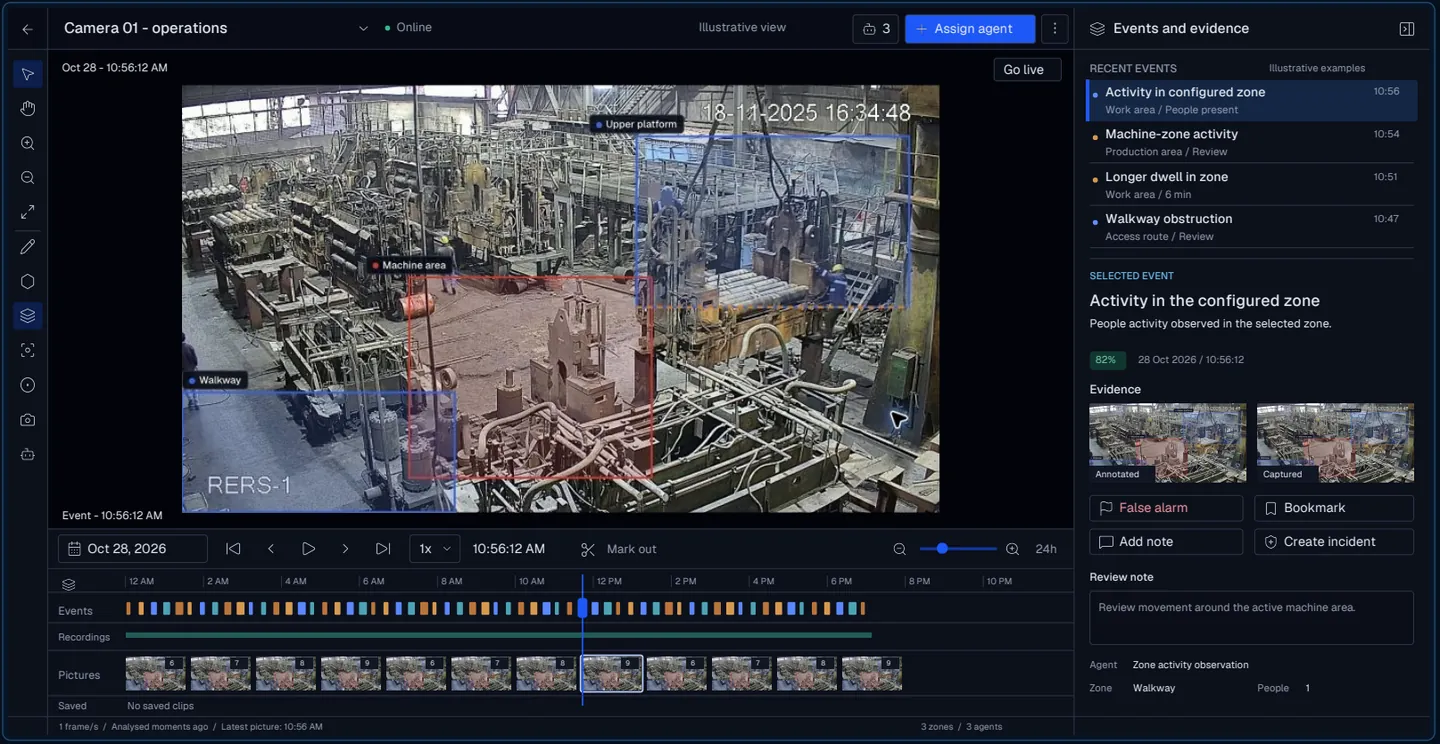
Events include the relevant description, severity, camera, location and time, with available evidence and agent context. The review workflow includes acknowledgement and bookmarking.
04
Which alert channels can be included?
+
Email, SMS and WhatsApp are possible routing choices discussed in the solution scope. Availability, setup, provider costs and any additional channel integration are confirmed for your deployment; every channel is not automatically included.
05
What kinds of metrics can we explore?
+
Explore people and vehicle counts, occupancy, queue and dwell time, service coverage, zone activity and safety observations. Custom models extend the scope to production throughput, visible defects, material movement, shelf gaps and facility conditions. Connecting operational systems adds measures such as service-cycle times or transaction-to-visit ratios. We define each metric and its data sources with you.
06
Can different people have different access?
+
The platform includes people, roles and location organization. During implementation, agree the intended camera, location and administrative boundaries and test the relevant access with your team.
07
What do included enablement hours cover?
+
Agreed work can include the use-case workshop, feed onboarding, zones and lines, agent setup, alert routing, roles, reporting preparation and launch review. The allocation follows your package and is used for the defined implementation scope.
Let’s find the moments that matter to your business.
Tell us what your team needs to see, understand or improve. We will help shape the right walkthrough and pilot scope.
Review a camera event and hand it to the right operator
For site operations and safety teams evaluating camera analytics in a particular location.
How the work moves
For a warehouse pilot, choose a marked loading area and agree when entry should be reviewed. A configured camera event enters the review queue. The reviewer inspects the available evidence, checks context and sends a confirmed issue to the shift lead through the agreed alert channel.
What we connect and deliver
During setup we check camera compatibility and field of view, the people allowed to see evidence and the channels available for alerts. Evidence retention and bookmark allowances depend on the agreed plan and settings.
Where to start
Request a walkthrough with one site, one camera view and one event to review. Agree examples of useful alerts and false alerts, who reviews them and the criteria for extending the pilot.




 /Camera connectivity