


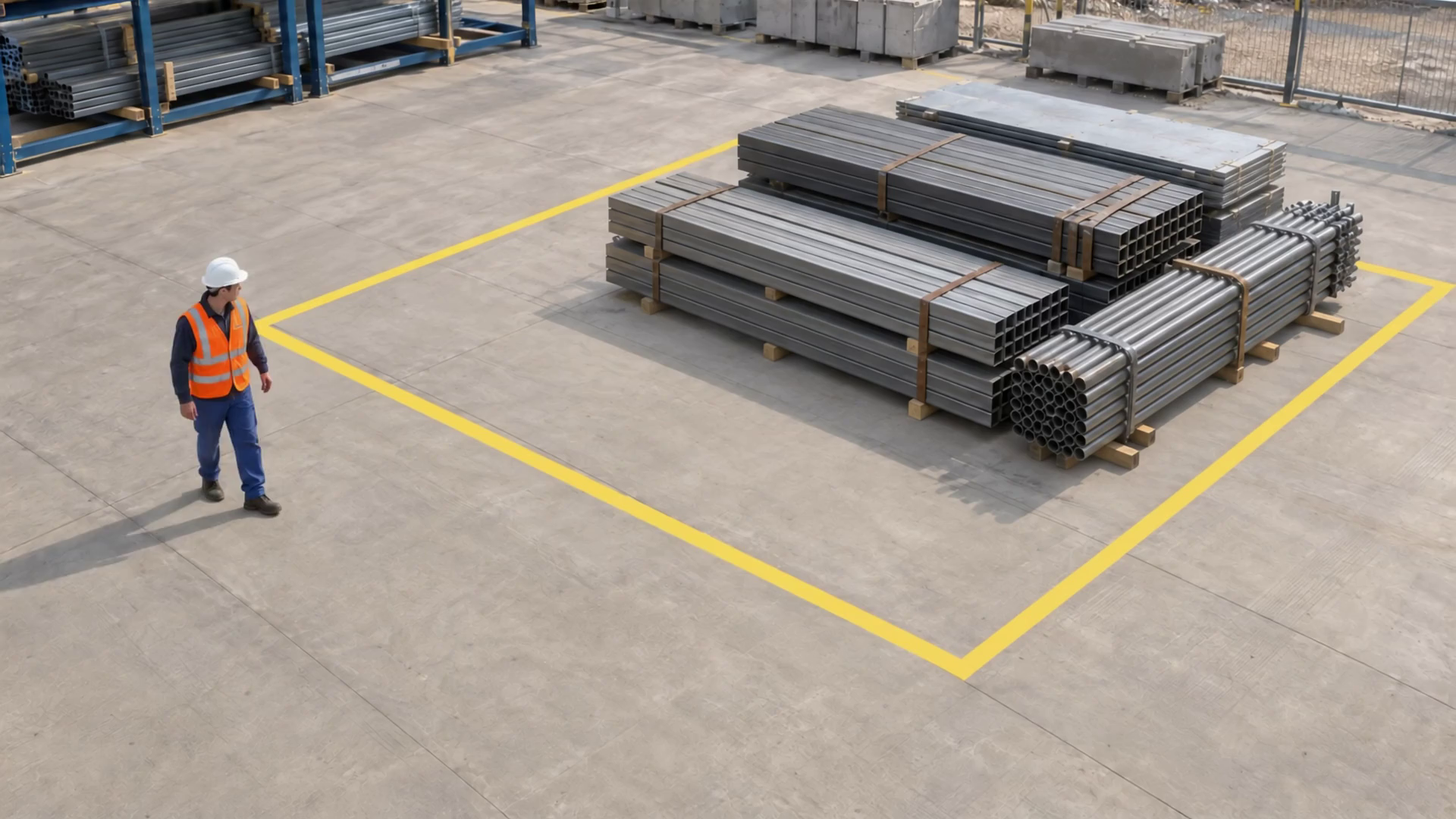
Worker and visible PPE
One worker, a white hard hat and an orange vest are visible in the reviewed frame. This is a visual annotation, not a compliance decision.
Intelligence for the way you work.
Connect the products. Move the work forward.
Find your next advantage.
A construction site changes every day. Opsyte helps your team keep attention on the zones, routes and access points that matter now. Configure monitoring around selected camera views, surface relevant events and give HSE, site supervisors and security the context to act.
Preparing for launch · tailored walkthroughs available VISION → CONTEXT → ACTION
Temporary scene label; no identity or site authorization is inferred.
One worker, a white hard hat and an orange vest are visible in the reviewed frame. This is a visual annotation, not a compliance decision.
One visible worker in each of the 13 frames manually reviewed at half-second intervals.
Positions and counts were manually reviewed every 0.5 seconds from 0 to 6 seconds. Interpolated boxes are approximate visual annotations, not live model inference. Event markers identify a confirming sampled frame, not an exact crossing instant.
Watch the marked exclusion zone during site activity.
Monitor defined exclusion zones, work areas and vehicle routes instead of treating every camera view as the same problem.
Bring visible PPE and zone-entry observations together with their location, time and evidence so the team can assess the actual scene.
Review repeated events and acknowledgement states to see which work areas, periods or access arrangements need another look.
Explore specific operational jobs—not just a list of AI features. Each example explains the condition, useful evidence and the team’s next step.
Keep attention on the boundaries around active work.
Work-zone overview
A person crosses the configured zone during its monitoring schedule.
Zone-entry event with camera, time and selected scene evidence.
The site supervisor reviews the scene and coordinates the appropriate response.
Illustrative configuration, not a recorded customer outcome. Camera suitability, analysis scope and the response workflow are agreed during setup.
Follow the practical steps for this environment. Each one connects the technology to the people who will use the result.
Start with one priority: a crane exclusion zone, a shared vehicle route or a yard after closing. Agree who owns the response.
Our team reviews the feed, sets the zone or line, selects the agent and agrees its schedule and evidence settings.
Check realistic site conditions, see what the event contains and tune the configuration before relying on the agreed monitoring scope.
When routes, cameras or work areas move, use ongoing enablement to review the objective and update the monitoring.
Turn a view into useful data. Explore model families for people, service, safety, movement and production. Configure the measurements around your operation—and connect them to the questions that matter.
See when people arrive and how demand changes through the day.
A configured counting view supplies passage counts. The example compares two separate entrance views.
Illustrative data · change the location or period to recalculate every metric and report.
Passage counts in each observation window.
Interval total. Adds interval values for the selected sites and period.
Higher bars show busier arrival periods; the total adds the selected windows and separate sites.
A passage count is not a count of unique customers or verified identities. Overlapping views need duplicate handling.Arrival boundary
Arrival boundary
The illustrative records use equal 15-minute periods. These are example records, not customer measurements.
Example09:00–09:15 · illustrativeEvery measure belongs to a selected camera, location and monitoring area.
ExampleSite A · selected camera and zonePeople counted through the configured entrance or counting boundary during the period.
Example18 observed passagesThe defined entrance or line that gives the count its meaning.
ExampleMain entranceWe map the camera, model, collection fields and report to that decision—and validate what works in your environment.
From a connected camera to an event your team can understand. Explore the decisions and controls behind the experience.
The first step is understanding what your cameras can show and how to access the selected feeds securely. Opsyte works with your IT or CCTV team to connect the views that support a real monitoring objective. Camera inventory, network arrangements and feed stability become part of a planned setup.
 /Camera connectivityProduct illustration
Camera credentials belong in the secure onboarding flow—not this example.
List the priority locations and what each selected view needs to reveal: a queue, boundary, bay or work area.
A configured boundary event gives the site supervisor a specific scene to review, with the relevant camera and time attached.
Security sees selected out-of-hours activity and checks it against scheduled access, rather than searching the whole shift.
The team compares events around a vehicle route and decides whether signage, access or operating guidance needs attention.
You bring the operational question. Together, we define the camera coverage, the analysis and what your team should do with the result.
The next page opens an editable inquiry with your selected industry and scenario. No camera credentials or footage are needed here.
Discuss this pilotUnderstand the practical details before you plan your first deployment.
We assess the selected feeds, views and network access with your IT or CCTV team. Compatible RTSP feeds can connect directly; an on-site frame relay is another option when direct access is impractical.
Yes. Zones, camera selection and objectives are configured around the current site. Review changes with our team so a moved camera or new work boundary is assessed and tuned.
It provides an observation and evidence for the responsible team. Visibility, the work context and your procedures determine the response. Opsyte supports supervision and review; established safety controls remain in place.
Block Gemini works with your site owner, HSE and IT contacts on camera readiness, zones, agents and routing. Agreed setup and refinement use your plan’s enablement allocation; additional scope is agreed separately.
Tell us what your team needs to see, understand or improve. We will help shape the right walkthrough and pilot scope.