
A participant in the conversation
A voice that listens and responds using the knowledge and instructions you provide.
Bridge brings people, AI agents and shared visual work into the same meeting. Ask a question, explore a deck, walk through a system or work through an idea together.
For customer meetings, team sessions, training and management.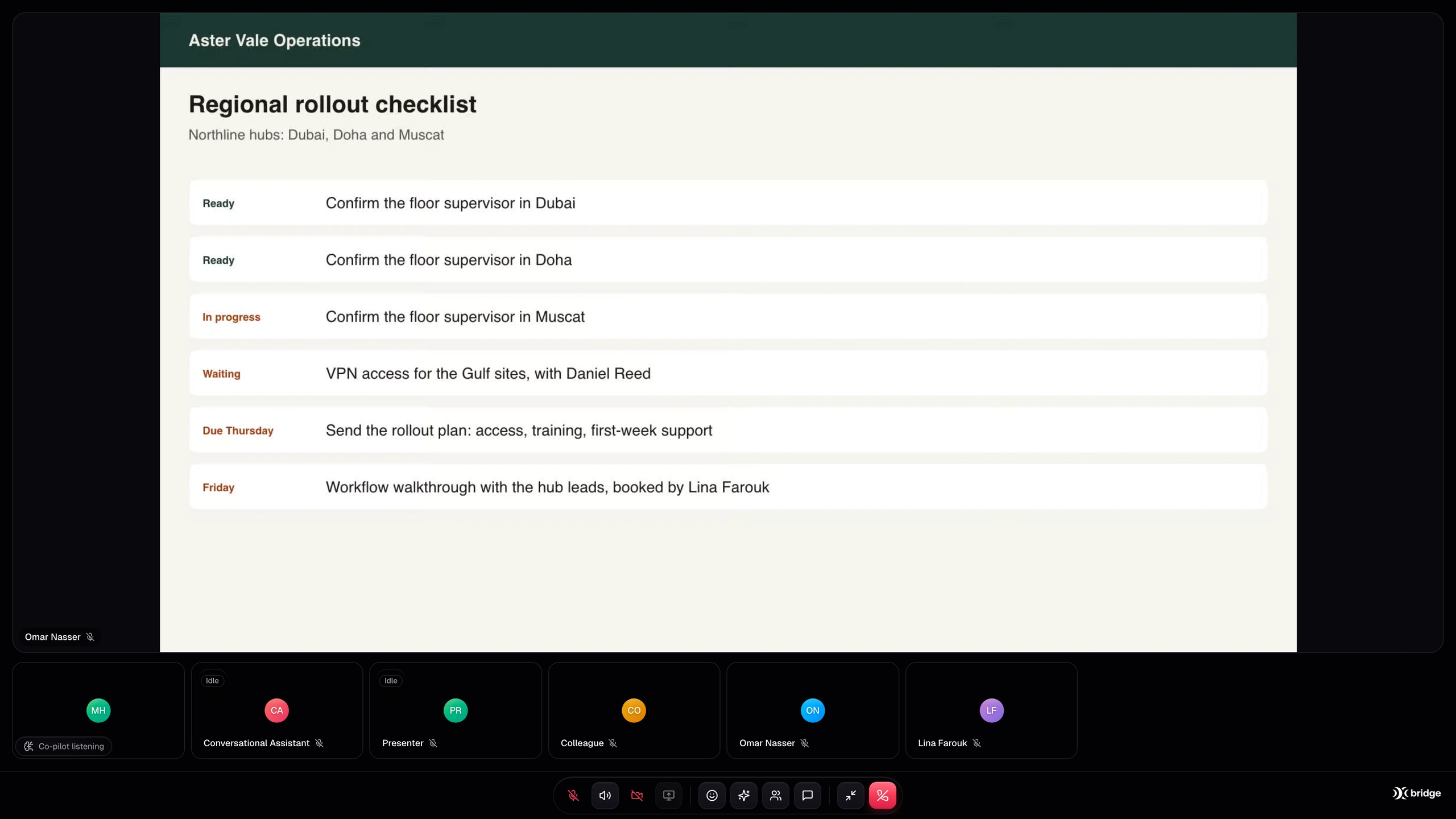
Supplied Bridge product screenshot · example workspace · English interface
A voice that listens and responds using the knowledge and instructions you provide.
Decks, shared screens and browser demonstrations make the product and the idea tangible.
Keep meeting insight connected to the customer record and the workflow around it.
Not every conversation needs the same kind of AI. Choose a voice, a presenter or a colleague that can work in the shared browser.
Give the assistant a role, knowledge, voice and language. It listens, speaks and answers in the meeting. Enable screen understanding when the conversation needs visual context.
Explore the actual meeting workspace, AI Presenter, shared browser and the insight that follows the conversation. Enlarge any screen to see the detail.
Bring the meeting, shared screen and AI participation together in the Bridge workspace.
Supplied product screenshotsExample workspace · English product interface
Use a Conversational Assistant for voice participation, an AI Presenter for an uploaded deck, or a Colleague for supported shared-browser work. Give the agent the instructions and references that fit its role, rather than treating every meeting as the same script.
Present existing material, demonstrate a platform and work through ideas on screen. With the appropriate workspace and tools configured, an agent can help create slides during the discussion and draw diagrams or architecture to explain the next idea.
Use meeting memory and AI assistance to revisit context, while Copilot helps during the session. Live translation supports configured language needs. Availability and usage depend on the selected AI configuration, plan and credits.
A sales demonstration. A new customer learning your platform. A team working through a plan. Build the AI meeting around the moment.
Illustrative AI workflow film. Actual product screens are shown in the gallery.
Example workspace · English product interface
An AI-led meeting can introduce your offer, walk through the deck and demonstrate a supported product workflow. Capture the customer’s requirements and prepare the next step for your sales team.
Start in Bridge, or work with our team to configure the agent, prepare the demonstration and connect the next step. We scope setup around your audience, tools and business process.
Plan my Bridge setupCreate or enter your Bridge account and choose a plan.
Choose its role, knowledge, voice and meeting instructions.
Upload the deck or configure the browser environment and tools.
Run a meeting, check the handover and refine the experience.
Let a Bridge AI agent present your deck, answer questions and demonstrate your platform in a shared browser. Connect meeting insights to a configured Cadence CRM workflow.
Connected productsConnect Bridge AI meetings to Cadence CRM and scope workflows across Echo, Cortex, Catalyst, Sync and Opsyte. Keep conversation context connected to business action.
Bridge puts AI inside the meeting as a participant that can speak and do visual work. Depending on the configured role, it can answer questions, present a PDF deck or operate a shared browser for supported demonstrations and tasks. People can join the same meeting and take over when needed.
Yes. AI Presenter works with an uploaded PDF deck. It narrates and advances slides, responds to questions and interruptions, and supports presentation pacing. Prepare the content and agent configuration for the audience you want to serve.
A configured Colleague can navigate supported workflows in a shared browser while speaking with participants. The demonstration environment, references, access and tool permissions must be prepared for your use case. You can require approval for actions or take over yourself.
These are workflows we can configure with the appropriate workspace and tools: creating slides during the discussion, drawing a diagram or explaining an architecture on screen. Tell us the environment and outcome you need so we can confirm the supported tools and setup.
Cadence is a documented Bridge external integration for mapping selected meeting and sales context into customer records. It requires a paid plan and configuration. Echo-to-Bridge handovers and additional product workflows are separately scoped. Bridge, Cadence and Echo have separate subscriptions.
Open Bridge to create or enter your workspace. Start with a meeting and choose the AI role you need. For a customer-facing agent, prepare your knowledge, deck, demo environment and desired handover. Our team can help scope and configure the setup.
 YOUR NEXT MEETING STARTS HERE
Present. Demonstrate. Collaborate. Connect the meeting to the rest of your business.